🚀 Building Slack support at scale; Learn how to handle 100+ customers on Slack - Watch ▶️
PRODUCT UPDATES
Mastering Issue Escalations with Thena's Slack Integration
Paulina
Content Writer
May 28, 2024
Looking for the best Zendesk alternative? Have you spent hours on G2 reading user reviews about top Zendesk competitors, trying to identify the best tool for your organization?
Many businesses have been exploring alternative options for various reasons. Some companies are facing budget cuts and can no longer afford Zendesk. Others, perhaps, aren't entirely happy with the tool's functionalities and want something better suited to their business. Whatever your reason might be, you've come to the right place.
We've handpicked and researched the best ticketing systems like Zendesk but for different budgets and specific use cases, helping you make a more informed decision on the best tool for you.
1. Thena
Best B2B customer management and engagement platform for Slack
B2B support is nuanced. Get it wrong, and you’re at risk of losing a high-ticket client.Thena is a solution created to address this challenge.
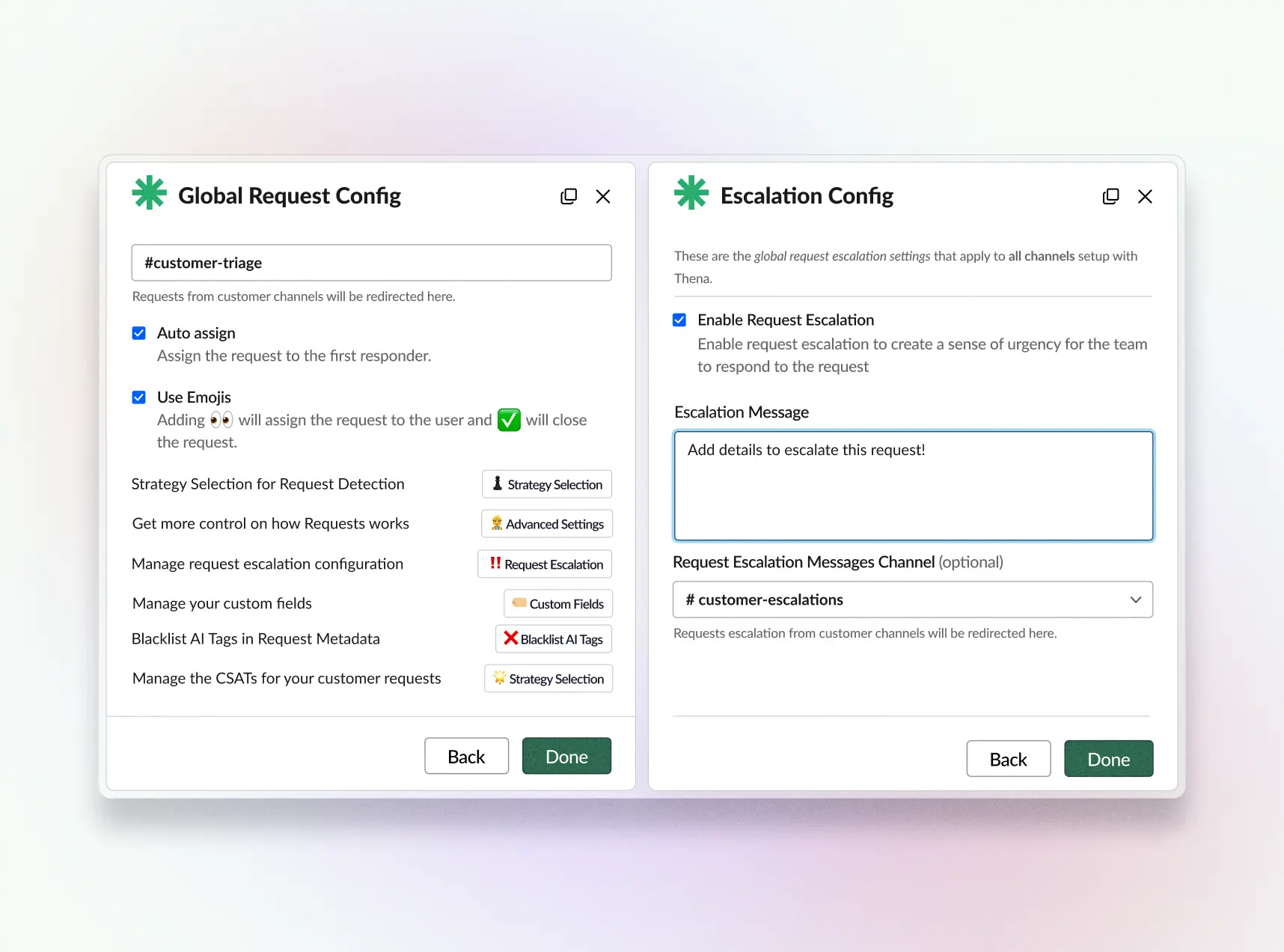
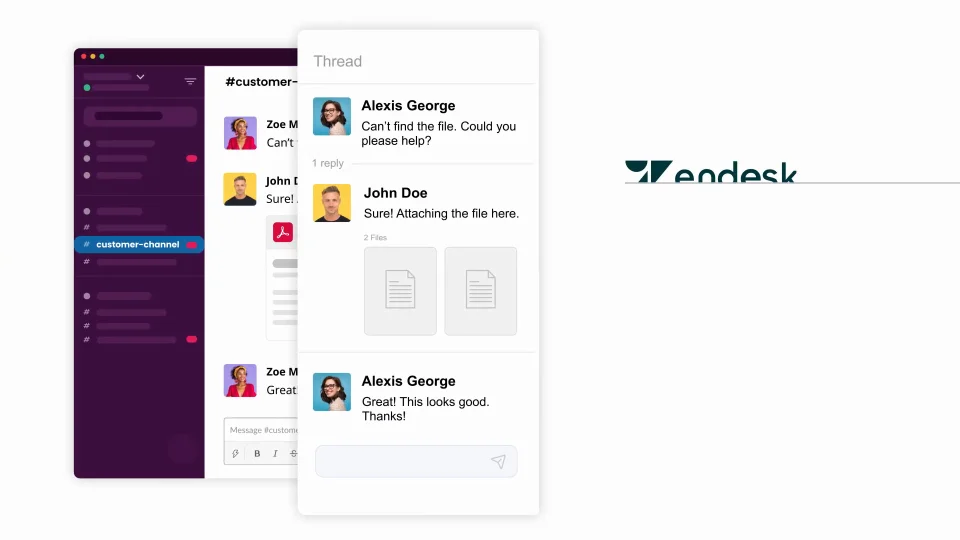
As a B2B customer support tool designed primarily for Slack, Thena integrates email and web channels, enabling businesses to provide a truly omnichannel support experience. What makes this tool different from the rest is its ability to automatically detect customer requests in external Slack Connect channels—all thanks to AI!
Additionally, Thena automates ticket management and workflows, so your teams spend minimal time switching between tools (or jumping through hoops). This way, they can purely focus on solving customer issues—fast!
Plus, Thena is a highly affordable Zendesk alternative that doesn’t break your bank but packs all the features you need for intelligent customer management on Slack.
Customer request dashboard toconsolidate customer request tracking and management in one unified place within Slack.
An AI-powered knowledge base that can be leveraged to automatically craft responses to customer queries based on historical conversations.
Seamless integration with popular email ticketing tools allows you to easily connect Thena with email ticketing systems like Intercom, HubSpot, and Zendesk and offer customer support through preferred channels for both customers and agents.
Instant integration with business tools means you can connect Thena with tools like Jira, Linear, Shortcut, and Salesforce to make teamwork more efficient and keep everyone updated in real time.
Pricing:
Thena has a free 14-day trial so you can get the feel of the platform. If you decide to invest, it's $5 per month for each customer channel.
1:00
0:51
2. Zoho Desk
Best option for sales-focused teams
Zoho Desk is a cloud-based customer support and help desk software solution designed to help businesses manage and streamline their customer service operations. It provides tools for tracking and resolving customer inquiries, managing tickets, automating responses, and analyzing customer support performance.
Features:
Omnichannel ticket management.
Multi-brand help center self-service portals.
AI-driven chatbots.
Integration with Zoho CRM for comprehensive sales and support operations.
Advantages:
Comprehensive suite of tools - Zoho One consolidates all of Zoho's products into a unified suite, offering convenience for businesses requiring multiple Zoho applications.
Diverse array of offerings: Zoho provides an extensive selection of products and services, encompassing CRM, marketing, finance, and IT management applications. This enables businesses to access all the necessary software in a single location.
International presence: Zoho is a globally recognized company with a substantial user base. This indicates their established reputation and long-term viability.
Disadvantages:
Complexity may arise due to the multitude of products and services offered by Zoho, making it challenging to learn and use. Less recognized than some competitors, Zoho lacks the widespread recognition of industry giants like Salesforce and Microsoft. Consequently, users may find fewer resources available to assist them in getting started and addressing technical issues. Furthermore, Zoho's integration with other software is not as seamless as that of its competitors, posing a potential challenge for businesses already using alternative software products.
Pricing:
Zoho offers a free 15-day trial. After that, the cheapest plan starts at US$14 per month per user.
3. Intercom
Best for proactive and self-serve customer support
Intercom is a ticketing system like Zendesk—very robust and comprehensive. As a customer service platform, it combines the power of AI chatbots, a help desk, and proactive support interactions.
Among its notable features is the chatbot automation known as Engagement OS. It supports customers at scale by combining automated and human support, using custom bots to handle simple questions and routing complex queries to the right people. It also offers proactive support tools to address common pain points throughout the customer journey, helping build trust and loyalty while capturing insights to improve engagement.
Features:
Multichannel support across live chat, WhatsApp, phone, email, and in-app messaging.
Help center integration to facilitate self-service.
Ability to track multiple customers with one ticket to easily share updates and resolve issues impacting multiple customers.
Real-time dashboards that provide insights to continuously improve your service provision and team performance.
Advantages:
Enhanced efficiency: Intercom's functionalities, including its help desk, AI chatbot, and messenger, can aid companies in streamlining their customer support operations and boosting agent productivity.
Decreased support workload: Intercom assists in reducing support ticket volumes by offering customers self-service options and deflecting tickets to AI.
Enhanced customer satisfaction: The features of Intercom can enable businesses to deliver more efficient and personalized customer support, potentially leading to higher customer satisfaction ratings.
Disadvantages:
Cost: Intercom may be costly for some businesses, particularly those dealing with a significant quantity of support tickets.
Complexity: Setting up and using Intercom can be intricate, especially for businesses with limited technical resources.
Restricted customization: Some businesses may find that Intercom does not provide the level of customization they require.
Pricing:
Intercom offers three pricing options. The Essential plan costs US$39 per seat per month, the Advanced plan is priced at US$99 per seat per month, and the Expert plan comes in at US$139 per seat per month. The vendor also offers a free 14-day trial.
4. Drag
Best free Zendesk alternative for Gmail-based customer support
If you’re looking for a low-cost Zendesk alternative to primarily serve your customers via email, Drag is a great alternative to consider.
Many processes often originate and conclude within emails but then expand across various tools. Drag puts an end to the constant tool-switching and efficiently oversees your entire workflow right from your inbox.
Drag serves as the Shared Inbox designed specifically for G Suite users. With just one click, you can transform Gmail into a collaborative workspace for your team, enabling you to handle customer support, task management, and deal closure seamlessly.
Features:
Visual shared inbox to reply to emails across your company and manage support operations.
Customizable boards to create shared, Gmail-based boards for all types of workflows to boost team productivity.
Powerful automation like auto-tagging, auto-assigning, email templates, and automated follow-ups.
Reporting capabilities to provide you with data on team performance, workload, and areas for improvement.
Integration with 5,000+ apps using Zapier.
Advantages:
Integration with Gmail, turning it into a collaborative task management system; visual boards in a Kanban style for organizing tasks and tracking progress; easy collaboration through sharing boards, assigning tasks, and communicating with team members directly within Gmail.
Disadvantages:
Dependency on Gmail, limiting the use to Gmail users; potential clutter in high-email volume situations with the integration of task management; limited functionality compared to dedicated tools like Asana or Trello, lacking the same depth of features.
Pricing:
Drag has a free plan for up to 3 users and 1 workspace. If you want more features, they have three packages, starting at US$10 per user for the cheapest one when billed monthly.
5. HubSpot Service Hub
Best Zendesk alternative for large organizations that already use other HubSpot products
Some businesses don’t want to mix and match tools and would rather stick to one ecosystem. So, if you’re already using HubSpot as your CRM tool or marketing automation software, you might also want to explore HubSpot Service Hub.
Although it’s not the cheapest alternative to Zendesk (especially if you want access to advanced tools), it does offer robust features that you can make use of.
Features:
Customer portal to keep customer tickets organized.
Knowledge base to enable self-service.
Omnichannel messaging to meet customers wherever they are.
Live chat to help customers in real time.
VoIP calling to facilitate high-quality customer calls.
Advantages:
Extensive Array of Tools: HubSpot provides a wide variety of marketing, sales, and service software all in one place, which facilitates the consolidation of data and customer interactions. Intuitive User Interface: HubSpot is recognized for its user-friendly design, making it accessible to teams with diverse technical expertise. "Freemium" Model and Resources: HubSpot offers a free CRM and an abundance of educational material such as blogs and courses, aiding in getting started and improving marketing knowledge.
Disadvantages:
Pricing: The cost of HubSpot plans can quickly increase as additional features are added or as the need arises to manage a growing number of contacts.
Complexity of Features: Although user-friendly, HubSpot's capabilities are extensive, requiring time and resources to fully master the complete platform.
Limited Customization: Some users perceive HubSpot as less adaptable compared to certain competitors, potentially constraining specific workflows.
Pricing:
HubSpot offers a free plan. The Starter package starts from US$18/month.
6. Freshdesk
Best for handling high-volume customer inquiries across multiple channels
Freshdesk is another Zendesk alternative that excels as a customer support platform, offering a streamlined and efficient way to manage a high volume of inquiries across various channels, including email, chat, and social media. Its intuitive interface and powerful automation tools make it ideal for businesses looking to improve response times and customer satisfaction without increasing their workload.
Features:
Omnichannel support integrates conversations from email, social media, phone, and chat into a single, manageable queue.
AI-driven chatbots provide immediate responses to common queries, easing the burden on human agents.
A comprehensive knowledge base allows customers to self-serve, reducing the number of incoming tickets.
Advantages:
User-Friendly Interface: Freshworks products are recognized for their user-friendly interfaces and straightforward setup, making them ideal for businesses seeking to quickly establish their customer support operations.
Integrated Product Suite: Freshworks offers a variety of products, including CRM (Freshsales) and helpdesk software (Freshdesk), which can be closely interconnected to streamline workflow processes.
Competitive Pricing: Freshworks often presents a more economical choice compared to established competitors, particularly appealing to smaller businesses and startups.
Disadvantages:
Limited Depth of Features: While easy to use, Freshworks products may lack the advanced features and customization options found in pricier, enterprise-focused alternatives.
Pricing:
Growth is the cheapest for growing businesses priced at US$18 /agent/month.
7. Help Scout
Best for providing personalized customer support at scale
Next Up, we have Help Scout—a customer support platform designed for companies aiming to deliver highly personalized customer support without losing the personal touch as they scale. Help Scout features a simple platform that makes it easy for support teams to manage emails, live chats, and phone calls.
Features:
Shared inboxes enable seamless collaboration among team members, ensuring no customer query is overlooked.
A customizable knowledge base for self-service and reduced ticket volume.
Detailed reporting for insights into customer satisfaction and team metrics.
Advantages:
User Experience Focus: Help Scout is recognized for its easy-to-use interface and user-friendly design, benefiting both customers and support teams in their interactions and setup.
Shared Inbox Approach: Advocates for a collaborative team-based strategy for customer service, fostering teamwork by removing individual ticket ownership.
Human-Centered Support Focus: Geared towards facilitating authentic conversations with customers, encouraging relationship building rather than just fulfilling ticket requests.
Disadvantages:
Pricing: Help Scout may be relatively pricier compared to some alternatives, particularly for larger teams.
Limited Advanced Features: If highly intricate ticket workflows, automation, or detailed reporting are needed, there may be more suitable platforms.
Focus on Email Support: Despite providing live chat and knowledge base functionality, Help Scout emphasizes email-based customer interactions.
Pricing:
Standard is priced at US$25 per user per month.
8. Salesforce Service Cloud
Best for comprehensive customer relationship management
Salesforce Service Cloud is ideal for businesses seeking an all-encompassing solution to manage and enhance customer relationships. It provides a 360-degree view of each customer, enabling personalized interactions and efficient service. This platform is particularly suited for organizations that require a robust system to integrate customer service with sales and marketing efforts.
Features:
Advanced CRM capabilities offer a complete view of customer interactions across all departments.
Knowledge management articles and resources for agents to reduce cognitive load.
Omnichannel routing to automatically route requests to the most qualified queues and agents.
Advantages:
Salesforce is the leading provider in the CRM industry and offers extensive customization options to cater to a variety of business needs. It provides scalable solutions suitable for businesses of all sizes, from startups to large enterprises. Additionally, its AppExchange marketplace enhances its capabilities with numerous third-party integrations.
Disadvantages:
Salesforce's services can be costly, especially for smaller companies, as its premium plans and add-ons are expensive. The platform's power is accompanied by complexity, requiring specific technical expertise for setup and management, particularly for smaller teams. Moreover, the abundance of options and customization may result in a steep learning curve, potentially necessitating specialized training or a dedicated Salesforce administrator to master the platform.
Pricing:
Starter Suite the simple CRM suite with marketing, sales, and service is US$25 per user/month.
9. HappyFox
Best for businesses needing efficient, centralized ticket resolution
HappyFox stands out for organizations that demand high efficiency in handling customer inquiries through a centralized ticket management system. It excels in environments where quick resolution times and streamlined communication channels are critical. With an emphasis on automation and user-friendly design, HappyFox facilitates a more organized and responsive customer support experience.
Features:
Unified ticketing: Centralizes emails, chats, phone calls, and social media inquiries, ensuring no customer query slips through the cracks.
Automation rules: Streamlines ticket assignment and prioritization with customizable rules, freeing your team to focus on high-value interactions.
Satisfaction surveys: Allow to gather customer feedback after an issue has been resolved.
Advantages:
User-Friendly Interface: HappyFox is known for its easy-to-use interface and simple setup, making it quick for customer service teams to adopt and start using. Comprehensive Features: HappyFox includes essential helpdesk software components such as ticketing, automation, and knowledge base, as well as additional features like live chat and task management, all in one place, making it convenient. Scalability: HappyFox offers multiple pricing options suitable for businesses of various sizes, ensuring that as your needs grow, you can easily find a plan that works for you.
Disadvantages:
Limited Customization: In comparison to some competitors, HappyFox may have less flexibility in terms of highly customized workflows or extensive changes to the interface.
Reporting Depth: While HappyFox provides reports, some users may find its analytics to be less detailed than those of other helpdesk solutions.
Integrations: Although HappyFox integrates with other tools, its range of integrations may not be as extensive as that of some larger competitors.
Pricing:
The cheapest monthly package is Mighty at US$39 per agent.
10. GrooveHQ
Best for small businesses that need an affordable customer support solution
Tailored for small businesses, GrooveHQ is a no-fuss solution to manage customer support. It distinguishes itself with its simplicity, ensuring that teams can focus on providing personalized customer interactions without the complexity often associated with more elaborate systems.
Features:
Collaborative inboxes: Keep your team in sync with shared inboxes that allow for seamless collaboration and visibility across all customer communications.
Automation and workflows: Tailor your support process with powerful automation that handles repetitive tasks and custom workflows, enabling your team to focus more on customer engagement.
White label: Remove Groove branding and make the tool your own.
Advantages:
Simplicity and Focus: GrooveHQ emphasizes its streamlined approach to customer support, offering a straightforward interface that allows teams to work effectively without extensive onboarding or an overwhelming number of features.
Affordability: GrooveHQ frequently offers more competitive pricing plans compared to similar helpdesk solutions, making it an attractive option for smaller or budget-conscious teams.
Shared Inbox Functionality: GrooveHQ's shared inbox is ideal for fostering collaboration and provides transparent customer communication management for entire teams.
Disadvantages:
Limited Automation: In comparison to larger competitors, GrooveHQ's automation capabilities may seem more basic. Teams looking for complex workflow rules might find it lacking in this area.
Reporting Depth: While analytics are available, some businesses may desire more in-depth reporting on metrics or customizable data.
Feature Breadth: GrooveHQ excels in its core helpdesk functions, but does not offer the extensive range of sales, marketing, or other tools often found in competitors' platforms.
Pricing:
The Standard plan starts at US$6 per user a month.
11. Hiver
Best for teams using Gmail to manage customer support
Hiver transforms Gmail into a powerful ticketing tool, making it the perfect choice for businesses that rely on Google's ecosystem for their operations. It seamlessly integrates with Gmail, allowing teams to manage support tickets directly from their inboxes without the need for a separate platform.
Features:
Email collaboration: Simplifies teamwork on email responses directly within Gmail.
Automated ticket routing: Ensures emails quickly reach the right team member based on set rules.
Analytics and reporting: Offers insights into performance and customer satisfaction for continuous improvement.
Advantages:
User-friendly interface: Hiver operates as a Gmail-based helpdesk, making it easy for individuals familiar with Gmail to navigate and use effortlessly. Seamless integration with other tools: Hiver seamlessly integrates with a range of tools like Slack, Zendesk, and Salesforce, allowing for enhanced workflow efficiency. Diverse functionality: Hiver boasts a diverse array of features, encompassing email management, collaboration, analytics, automation, and multi-channel support, which can effectively address customer needs.
Disadvantages:
Limited scope for customization: Hiver may not provide the level of customization required by certain businesses.
Cost considerations: The pricing of Hiver may pose a challenge for some businesses, particularly those dealing with a high volume of support tickets.
Dependence on Gmail: While this can be advantageous for some, it may not align with the needs of businesses that do not utilize Gmail.
Pricing:
The Lite package is US$15 per user per month.
12. Kustomer
Best for getting to know your customers inside and out
Kustomer is all about making customer service personal and efficient. It pulls together conversations from different channels into one place, so you can see the whole story behind each customer. This is perfect for teams that want to understand and connect with their customers on a deeper level, offering support that feels both thoughtful and seamless.
Features:
All-in-one conversations: Keeps chats, emails, and social media messages in one easy-to-follow thread.
Smart insights: Uses AI to give you a quick read on what your customers need, helping you get personal without the guesswork.
Streamlined support: Cuts down on repetitive tasks, making it easier for your team to focus on what really matters—helping customers.
Advantages:
Omnichannel Capabilities and Timeline Display: Kustomer stands out for its ability to consolidate communications from various channels (email, chat, social media, etc.) into a unified, chronological display for each customer. This enhances efficiency and customization.
Automation and Artificial Intelligence: Functions such as intelligent ticket distribution, AI-driven chatbots, and workflow initiators for routine tasks significantly decrease manual agent workload and expedite issue resolution.
Comprehensive Analytics: Obtain detailed insights into agent effectiveness, customer patterns, and the identification of deficiencies in your support structure—information that can be leveraged for informed enhancements.
Disadvantages:
Pricing: Kustomer's pricing is higher than that of some competitors, which might pose a challenge for smaller businesses or those with budget constraints. Complexity: The extensive features of Kustomer require a complex setup and optimal utilization, potentially necessitating dedicated training or setup support for some teams. Restricted Marketplace: While Kustomer offers integrations, its third-party app marketplace is not as extensive as other platforms, potentially limiting the ability to connect with highly specialized tools.
Pricing:
Enterprise for small teams at US$89 a month per user.
13. ServiceNow
Best Zendesk alternative for streamlining enterprise operations and customer service
Think of ServiceNow as the ultimate organizer for your company. It helps you keep track of customer needs and links them up with your IT, HR, and pretty much any other department. It’s perfect for larger businesses that need a smooth way to make sure everyone's on the same page, from fixing a tech glitch to answering customer questions.
Features:
Cross-departmental service management: Links customer service with IT, HR, and other internal services for unified operations.
Automated workflows: Simplifies complex processes, ensuring tasks are completed quickly and accurately.
Advanced analytics: Provides deep insights into performance and customer trends, enabling data-driven decisions.
Advantages:
ServiceNow is a prominent player in IT Service Management (ITSM) due to its robust capabilities in streamlining incident management, problem solving, and asset tracking. It offers effective workflow automation, facilitating the development of intricate workflows across departments to save time, minimize manual processes, and ensure compliance. Additionally, ServiceNow is highly adaptable, enabling businesses to customize it to suit their specific requirements and expand its functionality beyond standard IT procedures.
Disadvantages:
The cost of ServiceNow can be higher in comparison to some competitors, particularly with the addition of extra modules and customizations. The platform's power is accompanied by complexity, often necessitating specialized training or dedicated resources for its configuration and ongoing management. Both administrators and typical end-users may encounter challenges in navigating the diverse features and understanding its underlying infrastructure, leading to a longer learning curve to become proficient.
Pricing:
Custom quotes are available upon request.
14. LiveAgent
Perfect for businesses wanting a speedy response to customer queries
LiveAgent is all about making sure your customers aren't left waiting. With its lightning-fast response times and a wide array of support channels, it's ideal for businesses that prioritize quick and effective communication. Whether it's through email, live chat, social media, or phone calls, LiveAgent ensures that your support team is equipped to handle queries efficiently.
Features:
Multichannel support: Manage emails, chats, calls, and social media messages all in one place.
Real-time chat: Offer instant help with a live chat feature that keeps customers engaged.
Ticket management: Organize and prioritize support tickets so nothing gets missed and everything gets resolved fast.
Advantages:
Comprehensive Features: LiveAgent offers a wide range of tools, such as live chat, advanced ticketing, social media integration, and a knowledge base, making it a comprehensive solution for various customer support needs.
Hybrid Ticket System: It combines email-style ticketing with real-time live chat capabilities, offering flexibility in managing customer interactions.
Cloud-Based: No local software installations or complex technical setups are required, making it quick to deploy and accessible from anywhere.
Disadvantages:
Cost: LiveAgent's pricing plans may be on the higher end, particularly as more features and agents are needed.
Interface Complexity: The abundance of features can sometimes make the interface overwhelming for new users, leading to a steeper learning curve.
Customization Limits: Compared to some competitors, the level of customization in areas like the interface and reporting may feel restricted at times.
Pricing:
Starts at US$15 for small businesses.
15. Helpjuice
Best Zendesk alternative for creating a comprehensive knowledge base
Helpjuice shines in its ability to empower businesses to build and manage an extensive knowledge base. This tool is perfect for companies looking to reduce incoming support tickets by providing self-service options for their customers.
Features:
Easy-to-use editor: Craft and publish your support content with a simple, intuitive editor.
Powerful search: Helps customers quickly find the answers they need with advanced search capabilities.
Customization options: Tailor the look of your knowledge base to match your brand, enhancing user experience.
Advantages:
Customization: Helpjuice offers extensive customization options, allowing users to adjust themes, layout, and styles to align closely with their brand identity.Analytics: The platform provides detailed analytics that enable users to track knowledge base performance, including insights into search terms, popular articles, and areas for improvement.User-friendly: Helpjuice is known for its user-friendly interface, making navigation easy for both content creators and customers seeking answers.
Disadvantages:
Pricing: Helpjuice may be considered expensive compared to some competitors, especially as user numbers increase.Limited Features: Helpjuice primarily focuses on knowledge base creation and lacks the comprehensive ticketing and live chat functionality found in other help desk tools.No Free Plan: Helpjuice does not offer a free plan for users to trial the service before making a commitment.
Pricing:
Starter begins at US$120 per month with up to four users.
16. Gladly
Best for human-like customer support
Gladly is a customer service platform that puts personalization at the forefront of every interaction. It's designed for businesses that want to treat customers like people, not tickets. By centralizing customer conversations across all channels into a single, continuous conversation, Gladly enables support agents to deliver highly personalized service.
Features:
Customer-centric conversations: Offers a unified view of the customer across all communication channels, enabling more personalized interactions.
Seamless channel integration: Effortlessly manages customer communications across email, chat, SMS, and social media from a single platform.
Integrations: Links with Shopify, Klaviyo, and Medallia Agent Connect.
Advantages:
Conversation-Focused Strategy: Gladly prioritizes treating customer interactions as continuous conversations rather than distinct, isolated tickets. This fosters a more authentic and tailored experience for the customer.
Consolidated Customer Profile: Gladly creates a detailed profile for every customer by gathering data from multiple channels (email, phone, chat, etc.) and consolidating it in one location. This process enables agents to access important information for each interaction.
Agent Empowerment involves equipping agents with the tools and information they need to deliver highly personalized service, which typically results in increased agent satisfaction and improved customer engagement.
Disadvantages:
Expense: Gladly may be a pricier choice in comparison to certain other customer service platforms. This higher pricing can be attributed to its more sophisticated features and personalized approach.
The platform's wide range of features may initially require certain teams to overcome a steeper learning curve.
Prioritize Human-Centered Service: Although Gladly offers automation capabilities, the primary focus is on facilitating real-time, high-quality interactions between customers and agents. Businesses looking for a 'self-service first' solution may find it to be less of a perfect match.
Pricing:
Starts at US$180 billed annually.
17. BoldDesk
Best for budget-conscious SMBs
BoldDesk is a modern ticketing system designed to simplify customer support processes. It's an excellent choice for businesses looking to efficiently manage and resolve customer inquiries. With its intuitive interface and powerful features, BoldDesk helps teams keep track of customer interactions, ensuring no query goes unanswered.
Features:
Intuitive ticketing system: Easily categorize, prioritize, and respond to customer inquiries with a user-friendly dashboard.
Automation and workflows: Streamline operations with custom rules that automate ticket routing and follow-ups, reducing manual effort.
Personalized tickets: Change ticket layout and other features to suit your company’s unique requirements.
Advantages:
Single Unified Inbox & Ticketing: Gathers customer queries from various channels like email, live chat, and social media into a central dashboard for your team to manage.
Automation & Canned Responses: Helps in streamlining repetitive support tasks by utilizing automation and pre-written responses for common inquiries, thus saving agent's time.
Helpdesk & Knowledge Base: Facilitates the creation of a searchable help center or knowledge base, enabling customers to find self-service solutions easily.
Disadvantages:
Limited AI/Advanced Features: BoldDesk's primary focus is on ticketing and helpdesk tools, potentially lacking some of the more advanced AI-driven features found in its competitors.
Steeper Learning Curve: Some users may struggle with the interface of BoldDesk, finding it less intuitive than other options for helpdesk software.
Pricing: Although initial plans are competitive, costs can escalate rapidly with specific integrations or as your agent and ticket volume needs increase.
Pricing:
Starter is the cheapest package at US$15 a month.
18. Gorgias
Best Zendesk alternative for e-commerce businesses
Gorgias is a customer service platform specifically designed for e-commerce businesses, integrating seamlessly with major e-commerce platforms like Shopify, Magento, and BigCommerce. It stands out by turning support interactions into opportunities for sales and customer loyalty.
Features:
E-commerce integration: Connects directly with your e-commerce platform, pulling in customer order history and preferences to personalize support.
Automation and machine learning: Automates responses to common inquiries and uses machine learning to suggest ticket responses, speeding up resolution times.
Revenue tracking: Tracks the revenue generated from support interactions, highlighting the direct impact of customer service on sales.
Advantages:
Streamlined Communication: Gorgias integrates seamlessly with various communication channels such as email, live chat, social media (Facebook, Instagram, etc.), and phone support, consolidating customer inquiries into a single dashboard.
E-commerce Emphasis: Gorgias provides robust integration with popular platforms like Shopify, Magento, and BigCommerce, allowing for automatic access to critical customer data and order history.
Automation Capabilities: Gorgias is adept at automating tasks using rules and macros, minimizing manual effort for agents, such as tagging support tickets and sending predefined responses based on keywords.
Disadvantages:
Cost: Gorgias' pricing model increases in tandem with support volume, potentially making it costly for businesses managing a high number of tickets.
Complexity: The abundance of features and integrations in Gorgias can make it initially challenging for users to learn and optimize.
Limited Reporting: Although Gorgias offers reporting, some users find it to be rudimentary in comparison to more specialized helpdesk tools.
Pricing:
The Starter plan is the cheapest for US$10 a month.
19. eDesk
Best for online sellers aiming to centralize their customer service
eDesk is built with the online seller in mind, offering a comprehensive customer service platform that centralizes support tickets from all your sales channels. It's particularly effective for e-commerce businesses that operate across multiple marketplaces and want to streamline their customer support processes.
With eDesk, you can bring together customer interactions from eBay, Amazon, Shopify, and more, into one unified inbox, making it easier to provide timely, consistent support.
Features:
Multi-channel support: Aggregates customer queries from various online marketplaces and your website into one place.
AI-powered automation: Utilizes artificial intelligence to suggest responses and automate repetitive tasks, allowing your team to focus on higher-value interactions.
Order integration: Displays customer order details alongside their queries, enabling personalized and informed support responses.
Advantages:
Ticket Aggregation: Centralizing customer inquiries from different communication channels (such as email and social media) into a single inbox for easier management is a key principle of helpdesks.Automation Possibilities: Many helpdesks incorporate automation to streamline routine tasks, allocate tickets, or suggest responses.Analytics: Helpdesk systems typically offer analytics to monitor resolution time, team performance, and customer satisfaction trends.
Disadvantages:
Cost: While helpdesk solutions are available for any budget, those with more features or scaled for numerous users generally come with a higher price tag.Learning
Curve: Some helpdesk software, especially those with extensive customization options, may have a steeper learning curve than basic email management.Functional
Limitations: Not all helpdesks are suitable for every business. Specific features for advanced routing, comprehensive reporting, or unique integrations may be lacking, depending on the provider.
Pricing:
Offers ticket-based, user-based, and enterprise Plans, with user-based being the cheapest at US$115/month.
20. Nextiva
Best for businesses seeking an all-in-one communication solution
Nextiva is ideal for businesses of all sizes looking for a unified platform to manage phone services, messaging, video conferencing, and customer support. With its VoIP technology, Nextiva ensures high-quality calls and offers features like call routing, auto-attendants, and CRM integration, making it a powerful ally in delivering exceptional customer service.
Features:
VoIP phone system: Provides a robust, scalable phone system with advanced features like call forwarding, voicemail-to-email, and automated attendants.
CRM friendly: Hooks right into your CRM to give you the full picture of every customer, making personal touches easier.
All-in-one communication: Merges all your chatting, calling, and video conferencing in one spot, so your team can stay connected and productive.
Advantages:
Extensive Range of Features: Nextiva provides a comprehensive array of features, encompassing not only voice over IP (VoIP) calling but also video conferencing, team messaging, SMS, analytics, and more.
Reliability: Nextiva is renowned for its strong uptime and call quality, ensuring dependable communication for your business.
Scalability: Nextiva's plans and service offerings can grow in line with your business's evolving needs.
Disadvantages:
Pricing: Although competitive, Nextiva may be slightly pricier than some basic VoIP providers. It's important to evaluate whether the added features justify the cost for your business.
Complexity: Nextiva's wide range of features may have a learning curve, particularly for those new to this type of business communication system.
Contract Structure: Some Nextiva plans have longer-term contracts, which may lack the flexibility that some businesses seek.
Pricing:
The Essential Easy plan starts at US$30.95 /user/mo.
How to choose the most suitable Zendesk alternative for your business
Zendesk is a prominent contender in the customer service software industry, and it has earned this reputation for several reasons. It offers a wide range of features, has demonstrated reliability, and can accommodate businesses of various sizes. However, it's crucial to conduct a thorough assessment of its advantages and disadvantages before making a decision to ensure that it aligns with the specific needs of your business.
Reasons Why Zendesk Might Be Your Perfect Match
Omnichannel Support: Zendesk centralizes customer inquiries across channels like email, live chat, social media, and phone. This unified experience streamlines customer interactions and empowers your team to provide swift resolutions.
Robust Ticketing System: Zendesk offers advanced ticket management features, including prioritization, assignment rules, internal collaboration, and powerful automation. This ensures that no customer query falls through the cracks.
Customizable Knowledge Base: Zendesk's self-service portal reduces support volume by empowering customers to find answers independently. You can create comprehensive guides, tutorials, and FAQs.
Ecosystem of Integrations: Zendesk seamlessly integrates with numerous third-party tools like CRMs, e-commerce platforms, and analytics software, enriching your data and functionality.
Enterprise-Grade Reliability: Zendesk is a trusted solution used by major organizations. You can count on its stability and ability to handle large volumes of customer interactions.
Why Zendesk Might Not Be the Right Fit
Complexity: Zendesk's vast capabilities can lead to a steep learning curve, especially for smaller teams. For some businesses, this translates into longer setup times and potential underutilization of features.
Cost: Zendesk's pricing structure, particularly at higher tiers, can be an investment. If you're a budget-conscious startup or have simple support requirements, it might be overkill.
Less Intuitive Interface: Compared to some of its competitors, Zendesk's interface can feel a bit dated and less user-friendly. This can impact your team's adoption and efficiency.
Limited Customization in Lower Plans: Some advanced customization options and branding features are reserved for Zendesk's more expensive plans.
Overkill for Simple Needs: If your customer support needs are straightforward, Zendesk might be more feature-rich than you truly need, making it an unnecessary expense.
Who Benefits Most from Zendesk
Zendesk shines for businesses with:
Complex support workflows requiring advanced automation and customization.
Multi-channel support needs and a significant focus on self-service options.
Existing systems that integrate well with Zendesk's vast marketplace of apps.
The budget to invest in a comprehensive, enterprise-ready platform.
We've examined the features, benefits, and pricing models of the twenty best alternatives to Zendesk. That, of course, is not enough when it comes to determining the best tool. After all, while most tools may appear solid on paper, they can often be rather underwhelming in practice.
That's why it's always advisable to explore the opinions of actual users of these solutions. What were their experiences? Were they satisfied, or did they feel that something could be improved?
To save you time, we've analyzed over 25,500+ reviews across all tools on the G2 software comparison site, and here's how each solution stacks up against each other as of February 2024.





.webp)


